
Team Techsaga
Gain valuable insights and stay updated with the latest innovations through our engaging blog. Explore trends, technology advancements, and expert opinions to navigate the ever-evolving world of IT.
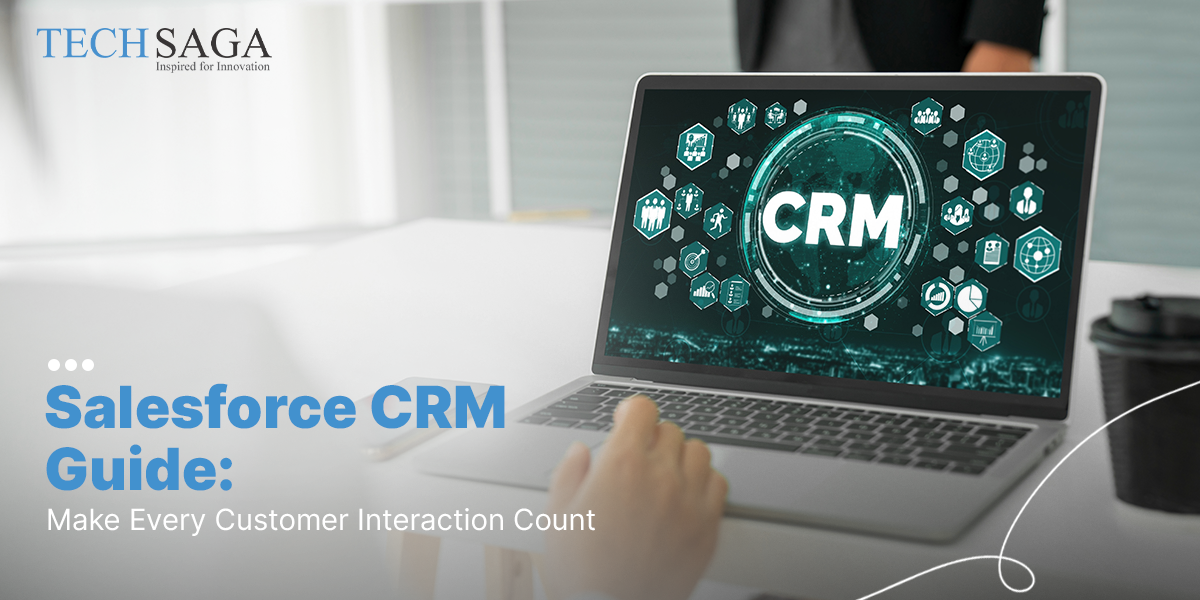
Salesforce CRM Guide: Make Every Customer Interaction Count
People rarely keep every line from a company page. But they do pick up the feel. Quick replies, a checkout that is simple, or a helper who already gets the issue are the usual reasons customers come back.
As a company grows, that smooth feeling can slip. Messages land in email threads, shared drives, chat tools, and on different team calendars. Before long, staff spend time searching for the right details. Instead of solving the request, they work around the system.
A solid Salesforce CRM guide can help fix this. It shows how to keep the key facts in one spot. If one setup covers calls, the sales steps, and past service, teams can use the same record when it counts. Some companies also add Salesforce consultants to guide the change, so the switch stays on schedule and the CRM fits what people do each day.
What Is Salesforce CRM
Salesforce is a cloud service for handling customer relationships. It supports sales, marketing, and customer service in one system. Teams do not need to bounce between separate tools that do not sync. When the data stays together, work moves faster.
Many buying paths look pretty close to each other. A person reads a brochure first. Next, they request a demo. After that, they may contact support. If a business skips a CRM, each part of the process can end up in a different place. Later, another team might not see what was already done.
In Salesforce, the activity history stays stored in one place. Team members can look back at what happened while they are working. They can also tell what step comes next. That is why this Salesforce CRM guide can be useful for companies that are expanding.
Types of Salesforce CRM Solutions
Salesforce is not just one thing. It is made up of multiple products. Those parts are designed to fit together. Each one helps with a different task in your business. Even so, they all point to the same customer records.
Sales Cloud helps sales reps spend less time on admin work. They can focus more on people and conversations.
New leads get logged and sorted without extra effort. You do not have to enter the same details again and again.
You can follow each opportunity from the first chat to the last step. Notes stay in one place until the deal is done.
Salesforce Service Cloud
- Service feels more even once every customer touch is visible.
- Arrange case routing rules and track what happens next.
- Support reps can open the right help pages when a reply is needed.
- Answer customers from one place, using email, chat, phone, and social messages.
Marketing Cloud is built for messages that match real customer habits.
- Instead of sending the same promo to everyone, focus on what people actually do.
- Write emails that sound like a person is behind them.
- Build automated journeys so the right customers get the right email at the right time. Also, split your audience by interests and by behavior.
Commerce and Experience Cloud
Digital experiences matter long after the sale.
- Build connected online shopping experiences.
- Offer self-service customer portals.
- Create secure spaces for business partners and distributors.
How Salesforce Changes Everyday Work
The value of Salesforce Implementation is not limited to storing customer information. It changes how different teams work together throughout the day.
Stronger Customer Relationships
When previous conversations, purchases, and support history are available instantly, customers spend less time repeating themselves.
Better Team Coordination
Marketing, sales, and support stop working in separate silos because everyone sees the same customer record.
Less Manual Work
Routine tasks such as lead assignment, approval requests, and follow-up emails can run automatically instead of relying on manual effort.
Smarter Business Decisions
Managers no longer wait for weekly spreadsheets because dashboards update with live business data.
Why Businesses Invest in Salesforce CRM
A good Salesforce CRM Guide is not complete without understanding why companies continue investing in the platform as they grow.
One Place for Customer Information
Instead of searching across multiple systems, employees work with one connected customer record.
Some of the biggest advantages include:
- Faster sales cycles because administrative work is reduced.
- More personalized customer communication.
- Flexible CRM Solutions that grow with the business.
- Clear reporting that helps leaders understand performance quickly.
Where Salesforce Makes the Biggest Difference
The platform becomes easier to understand when you look at everyday business situations.
Managing Incoming Leads
Website forms, social media inquiries, and email requests flow into one system instead of being tracked manually.
Resolving Support Requests Faster
Support agents can see previous conversations immediately, helping them solve problems without asking customers to repeat details.
Running Better Marketing Campaigns
Customer behavior helps marketers send more relevant messages instead of relying on broad campaigns.
Tracking Sales Performance
Sales managers can spot stalled opportunities, monitor team performance, and forecast revenue using live dashboards.
Choosing the Right Salesforce Partner
Using tools alone does not lead to good outcomes. A strong Salesforce setup begins with understanding how the business works each day. It is not about rushing into setup changes right away.
Many Salesforce Consulting Services start by looking at a few core things, such as:
- figuring out what the business actually needs
- adjusting the system options to match those needs
- getting the data into the proper format and layout
- teaching the team so they can use the system
- checking how things run after launch and making small fixes
When support looks like this, project schedules usually get better. Then there is also less work that must be redone later.
Why Businesses Choose Techsaga
At Techsaga, we help teams use their customer data to reach real business goals. We do not push the same template for everyone. We shape our CRM work to match how your business actually runs.
Here is what we do with Salesforce:
- Review your current business flow
- Set up Salesforce to fit your needs
- Automate key steps and approvals
- Connect Salesforce with the tools you already use
- Train your staff to get results
- Keep improving performance over time
If you are rolling out Salesforce for the first time or you already have it in place, we still focus on building something that can grow with you.
Conclusion
A helpful Salesforce CRM guide is not about replacing spreadsheets with a new tool. It should show you how to connect each customer moment, so the next step feels easy and makes sense, not like extra work.
When sales, marketing, and support share the same records, they can decide faster. People also notice steadier help across email, calls, and other channels. That is one reason many firms see better outcomes when they add skilled Salesforce guidance, set up the system in a thoughtful way, and pick options that can handle more needs later.
If you are thinking about a Salesforce rollout, Techsaga can support you from planning to setup and then keep things running day to day. The aim is simple: make everyday talks turn into real customer ties that hold up.
TAG: Techsaga USA