
Team Techsaga
Gain valuable insights and stay updated with the latest innovations through our engaging blog. Explore trends, technology advancements, and expert opinions to navigate the ever-evolving world of IT.
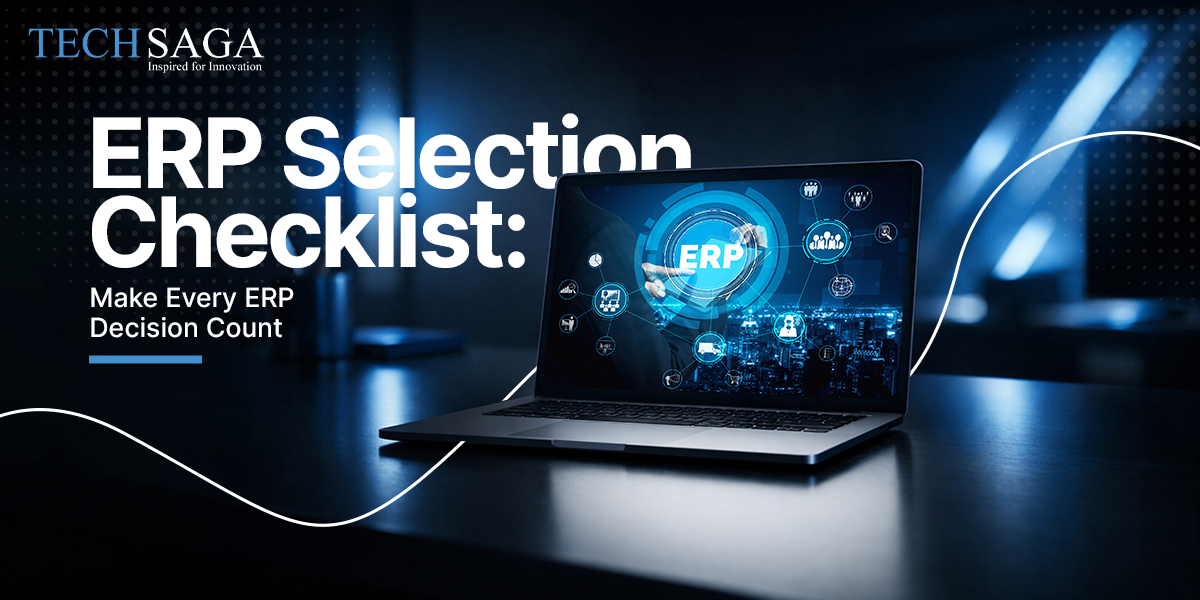
ERP Selection Checklist: Make Every ERP Decision Count
Choosing software for your entire company feels like buying a house blindfolded. You look at shiny feature lists for listening to pitch decks and somehow end up picking a tool that frustrates everyone six months down the road. Most teams get caught up in flashy dashboards and completely miss how the system handles daily operational chaos. We have watched organizations spend huge budgets fixing mistakes made in week one of software hunting mostly because nobody paused to build a realistic framework first. Following a clear ERP Implementation Guide keeps your priorities straight when salespeople start throwing complex jargon at your evaluation team.
Why standard software demos rarely show real operational friction
Demos are staged performances where every click works instantly and every report looks clean. Real life in supply chain or finance looks nothing like a thirty minute presentation with pre-cleared data. Gartner reports that nearly seventy percent of software implementations suffer from scope creep or budget overruns simply because core requirements were misunderstood early on. Teams get enamored by smooth interfaces while ignoring how the system actually processes complex inventory adjustments or multi currency reconciliations.
Visualizing workflow bottlenecks before signing software vendor contracts
Sit down with your department heads before booking sales demos to map where work stalls today. Figure out where manual spreadsheets are quietly holding your operations together. If your team spends three hours every Friday transferring data from warehouse logs to accounting for specific pain point needs to be in your ERP Selection Checklist as an absolute dealbreaker.
Evaluating user interface simplicity across non technical internal departments
Software nobody uses is worth zero dollars regardless of its underlying power. Warehouse managers to field sales agents and floor supervisors need clean interfaces that let them log entry data without attending two weeks of training. Ask vendor presenters to let your actual employees complete a routine task live during the demo without guided instruction.
Factoring hidden integration expenses into total cost estimations
The sticker price on a software subscription rarely reflects what you actually end up spending. Data migration custom API development third party connectors and ongoing maintenance fees stack up rapidly. Expecting standard out of the box connectors to work seamlessly without custom configuration is how projects balloon past their original financial projections.
Total Cost of Software Ownership Matrix
| Direct Costs | Indirect Costs |
| Base Subscription / Licensing | Internal Staff Downtime |
| Data Migration & Cleanup | Business Process Redesign |
| Custom API & Module Development | Post-Launch Productivity |
How to structure an ERP selection checklist around real operations
Building a selection framework means focusing on operational fit rather than software hype. Most organizations make the mistake of creating massive generic spreadsheets with five hundred features they will never touch. A functional evaluation framework centers around core business continuity scalability and how comfortably your team adapts to change.
Defining core business requirements using a realistic ERP selection checklist
Focus on your non-negotiables first. Write down the three business processes that give your operations a distinct competitive edge then evaluate how flexibility exists within candidate tools. At TechSaga we often see companies get stuck trying to force unique operational workflows into rigid generic software architectures that were built for entirely different industries.
Auditing vendor data security standards and compliance guarantees
Data breaches and compliance oversights carry massive penalties in modern business environments. Check hosting infrastructure security certifications with encryption standards and backup frequency before getting attached to specific features. Request third party audit reports directly from vendors rather than accepting general verbal assurances about cloud stability.
Assessing long term vendor stability alongside ongoing technical support
Software is a partnership that lasts for years so the health of the company behind the product matters tremendously. Look at their product update frequency engineering roadmap and customer support response track record. A platform that seems affordable today becomes a massive liability if the vendor halts development or slashes support staff next year.
Why software flexibility determines modern enterprise adaptability
Rigid systems lock your organization into outdated methods of working. As your company grows that opens new locations or shifts business models your underlying software must adapt without requiring a complete rewrite. Panorama Consulting research highlights that inadequate flexibility remains a top reason organizations seek early software replacements.
Uncovering customization limitations during pre purchase system trials
Vendors love promising custom adaptability but heavily modified code creates severe headaches during future software updates. Test how much configuration can be done through native user interfaces versus how much demands expensive external developer hours. Building custom workarounds on top of fragile code bases eventually leads to system lockups.
Comparing cloud deployment options against legacy internal infrastructure
Cloud environments offer rapid deployment and lower upfront infrastructure investments but hybrid setups still appeal to companies handling strict regulatory data requirements. Look closely at maintenance schedules for server location options and bandwidth dependencies. A cloud solution is only as reliable as your operational uptime guarantees.
Measuring vendor implementation support during critical transition phases
A smooth software transition depends heavily on hands-on guidance from people who understand your industry context. Standard customer support tickets and generic documentation portals will not solve specialized deployment snags when go live dates approach. Managing a complex Enterprise Resource Planning rollout requires dedicated technical assistance through every stage. At TechSaga our teams emphasize hands-on systems guidance to prevent typical deployment bottlenecks.
SYSTEM ADOPTION TIMELINE SHIFT BY PHASE
1: Workflow Auditing & Data Cleaning
2: Pilot Testing with Department Leaders
3: Sandbox Migration & Validation P
4: Full Go Live & Post Launch Support
Making the final decision using an ERP selection
At some point research has to end and decision making must begin. Gathering feedback from every department is necessary but trying to satisfy every single minor preference leads straight into analysis paralysis. Focus on overall business viability with long term costs and practical usability for your core operational staff.
Aligning executive leadership expectations with realistic adoption timelines
Leadership often expects immediate productivity jumps the week after launching new enterprise systems. The reality is that performance usually dips temporarily while teams adjust to modified screens and routines. Setting clear expectations with executives about this adjustment period saves project leads from unnecessary pressure.
Building internal change management plans to ensure long term usage
People naturally resist changes to daily routines especially when new software feels forced on them from above. Involve trusted key employees early to gather their input on usability and explain how the system reduces their repetitive manual workload. When staff members understand the personal benefits, platform adoption accelerates naturally across departments.
Running limited scope sandbox trials before signing binding software contracts
Never sign long term agreements based solely on sales presentations and staged sandbox demos. Insist on a short term trial or proof of concept phase using a small batch of your actual company data. Watching how candidate tools process real business scenarios reveals hidden bugs for awkward navigation paths and missing features before money changes hands.
Selecting software for your organization is always stressful but clear evaluation criteria make the process far more manageable. Navigating a complete ERP Implementation requires keeping your focus on workflow efficiency system flexibility and actual operational needs rather than sales presentations. Taking time to audit processes to test systems with real data and plan for organizational change saves massive amounts of time and financial resources later. By utilizing a practical ERP Selection Checklist you can choose a system that actively supports business growth for years ahead.
TAG: Techsaga USA